The "About" page allows you to present the concept of your store in detail to your customers.
To access it: Design > Pages
Where can I find the 'About' page on your store?
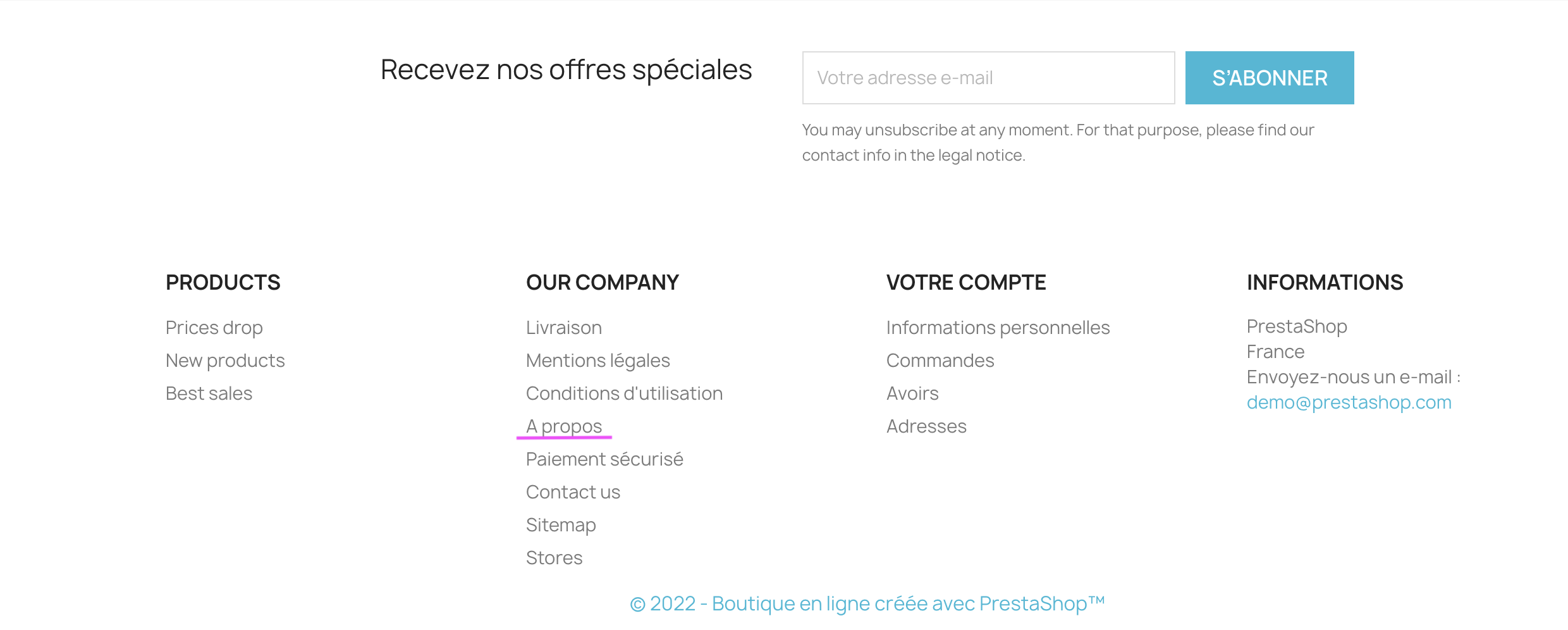
This page is generally referenced in the footer of your store. By default, in PrestaShop, you will find it in the "Our company" block of the footer.
How to customize the "About" page?
The "About" page helps visitors to your store to get to know you better. It is also a very important page for your search engine optimization! In the back office, navigate to the Design > Pages section to find the list of pages for your store.
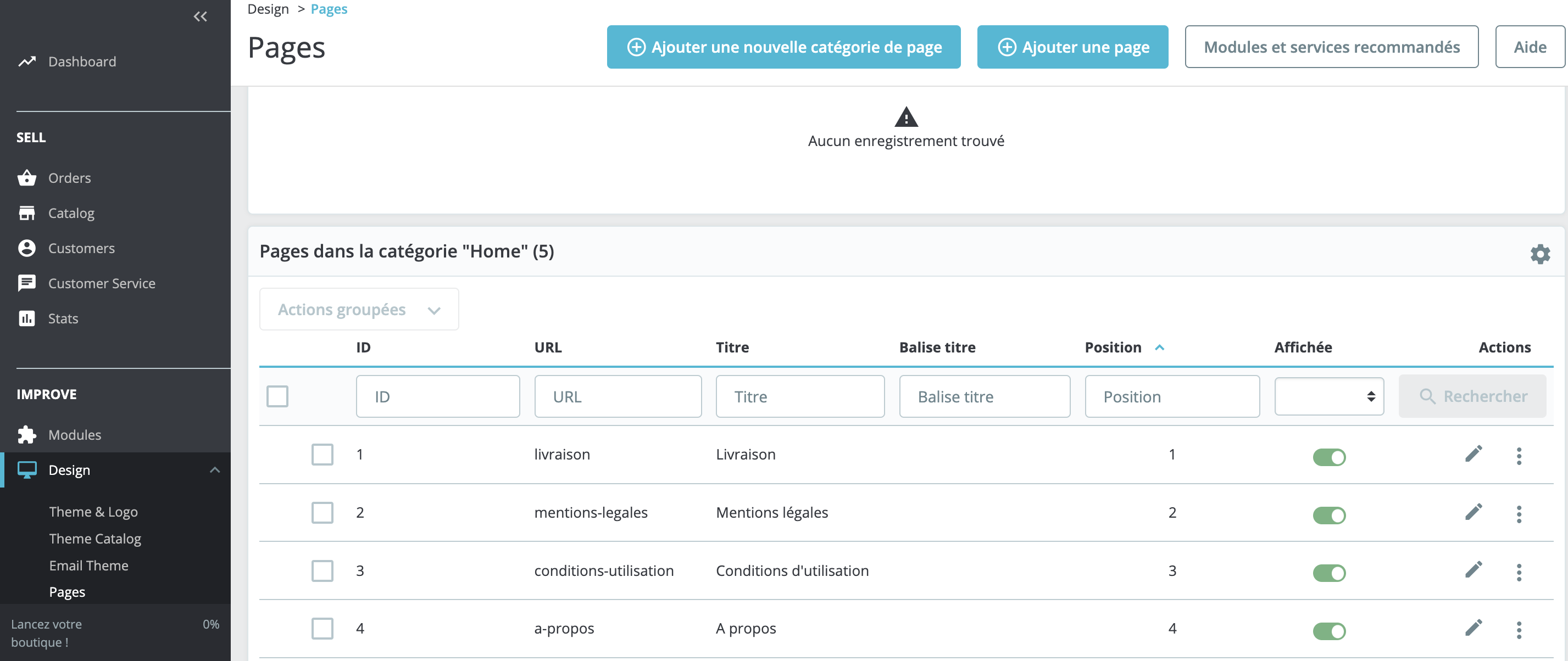
On the "About" line, click on the edit icon represented by a pencil to open the configuration page.
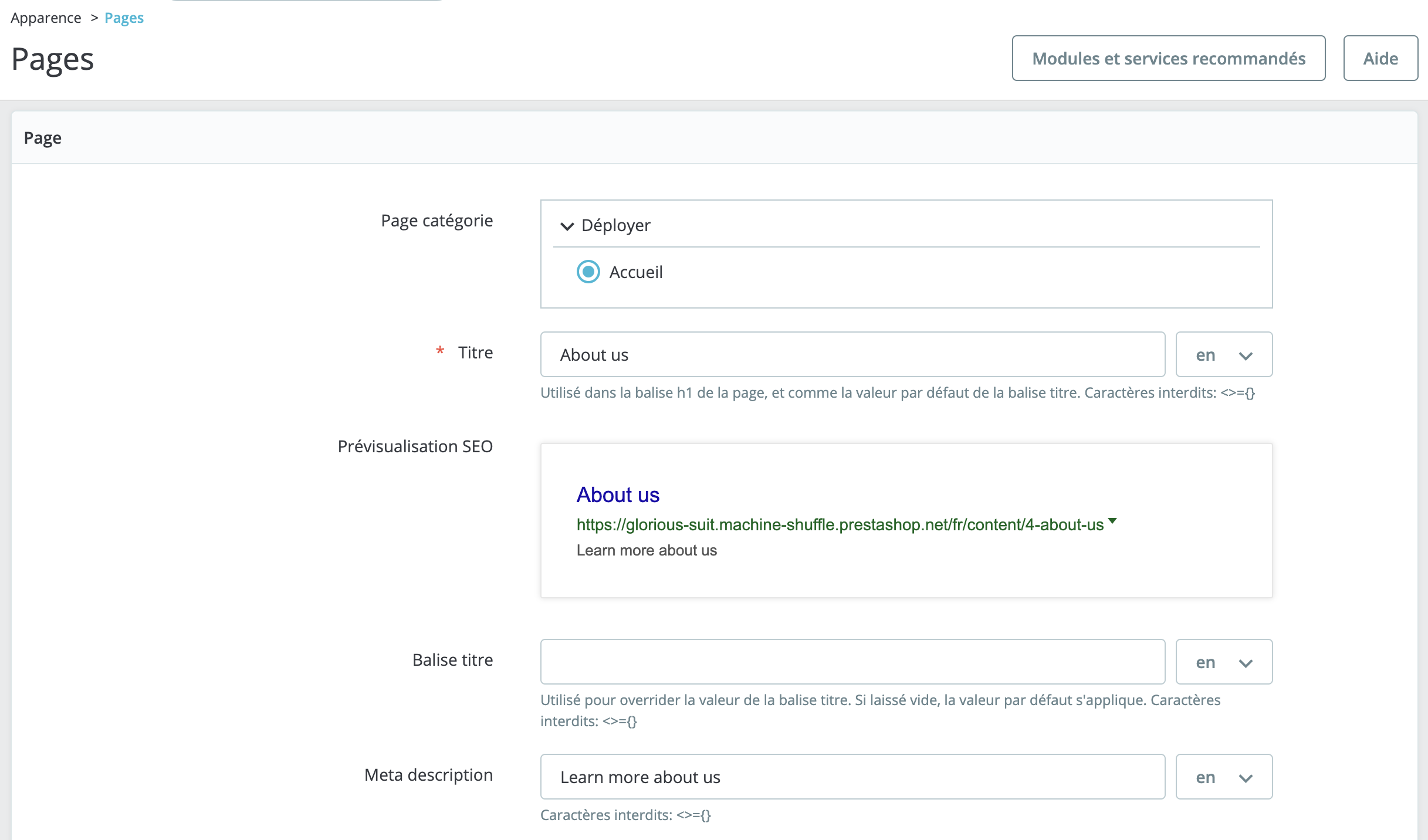
This configuration page allows you to customize your entire "About" page. Thanks to her, you can also optimize your search engine ranking by including a meta description and meta keywords.
- Please provide a title for your page.
- Check the "SEO Preview" field; it allows you to see the "About" page as it will appear in search engine results.
- Provide your meta description, which is crucial for your search engine optimization. You can customize it with numerous keywords.
- Modify the pre-written text. You may add information about your store, the brands sold, the team, etc.
- Click on "Save" to save the page.