PrestaShop allows you to offer tailored offers for your international customers through localization packs. Discover how to make the most of it!
To access it: International > Localization.
What is a localization pack?
Localization packs allow for the consideration of the geographical specificities of your clients in order to automatically adapt their navigation to their regional context. This means that you can offer them, for example, monetary currencies, taxes, or tax rules that are tailored to their country.
Why import localization packs?
Localization packs allow you to configure PrestaShop with accurate data regarding currencies, taxes, languages, and units. They are essential if you wish to expand your business internationally!
We advise you to use localization packs that are suitable for the countries from which the majority of your visitors originate. You can access this information through PrestaShop's statistics.
How to import a localization pack?
The localization pack import interface is presented as follows:
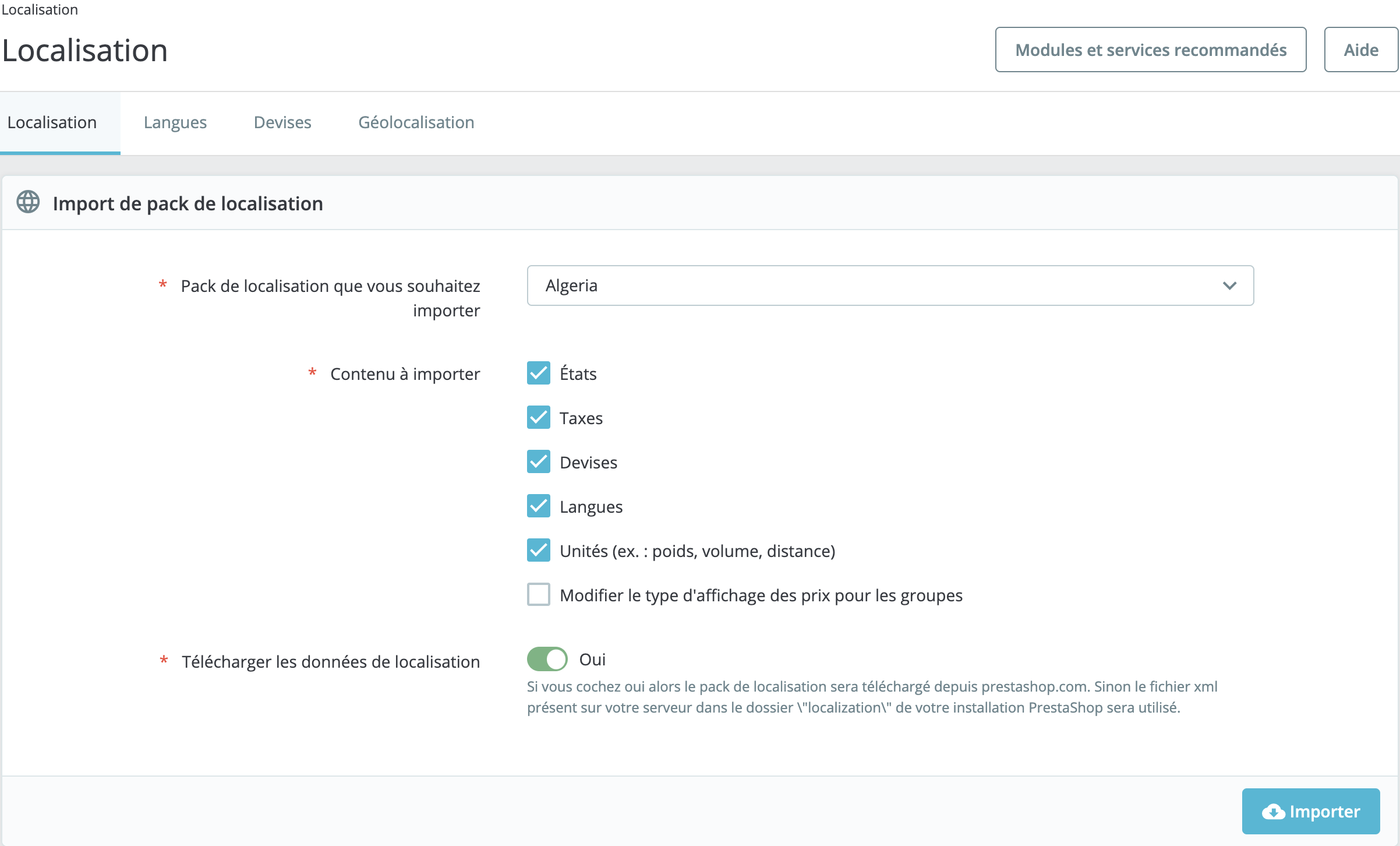
Select the localization pack you wish to import based on the country where you intend to sell your products, then check the contents you wish to import:
- States: check this box if the country to which you wish to sell your products consists of multiple states, which may affect your shipping rates. The added states can be displayed and modified from the "States" tab on the International > Geographic Areas page.
- Taxes: check this box if the country to which you wish to sell your products has states with specific tax rules - such as Canada, for example. The added taxes and tax rules can be displayed and modified in International > Taxes.
- Currencies: to allow your foreign customers to convert your prices into their own currency. Once the package has been imported, you must activate the currency by navigating to the Payment > Preferences page. The added currencies can be displayed and modified from this page.
- Languages: PrestaShop allows you to write all public fields of your store in multiple languages. To enhance your search engine optimization in the targeted countries, it is very important that you do this for at least the product names and their descriptions. Please note that importing a language also imports its date format (d/m/y, m/d/y, d.m.y, ...). The added languages can be displayed and modified from the Localization > Languages page.
- Units: these units of measurement (weight, dimension, volume, distance) are essential for accurately describing a product to your customers and determining the delivery price. They can be customized from this page, in the "Local Units" section.
- Modify the display type of taxes for groups: this is an option that you can change to influence the import.
The contents of the localization package to be imported are optional. This means that you can, for example, choose to import only the currency and language of a given country, and not its taxes.
How to delete data related to the localization package?
Apart from the default units, you cannot automatically remove all data related to a country.
If you need to delete data, you will have to do so manually, on their respective pages.