The order management interface allows you to access all information related to purchases in your store.
To access it: Orders > Orders
The "Orders" section is presented as follows:
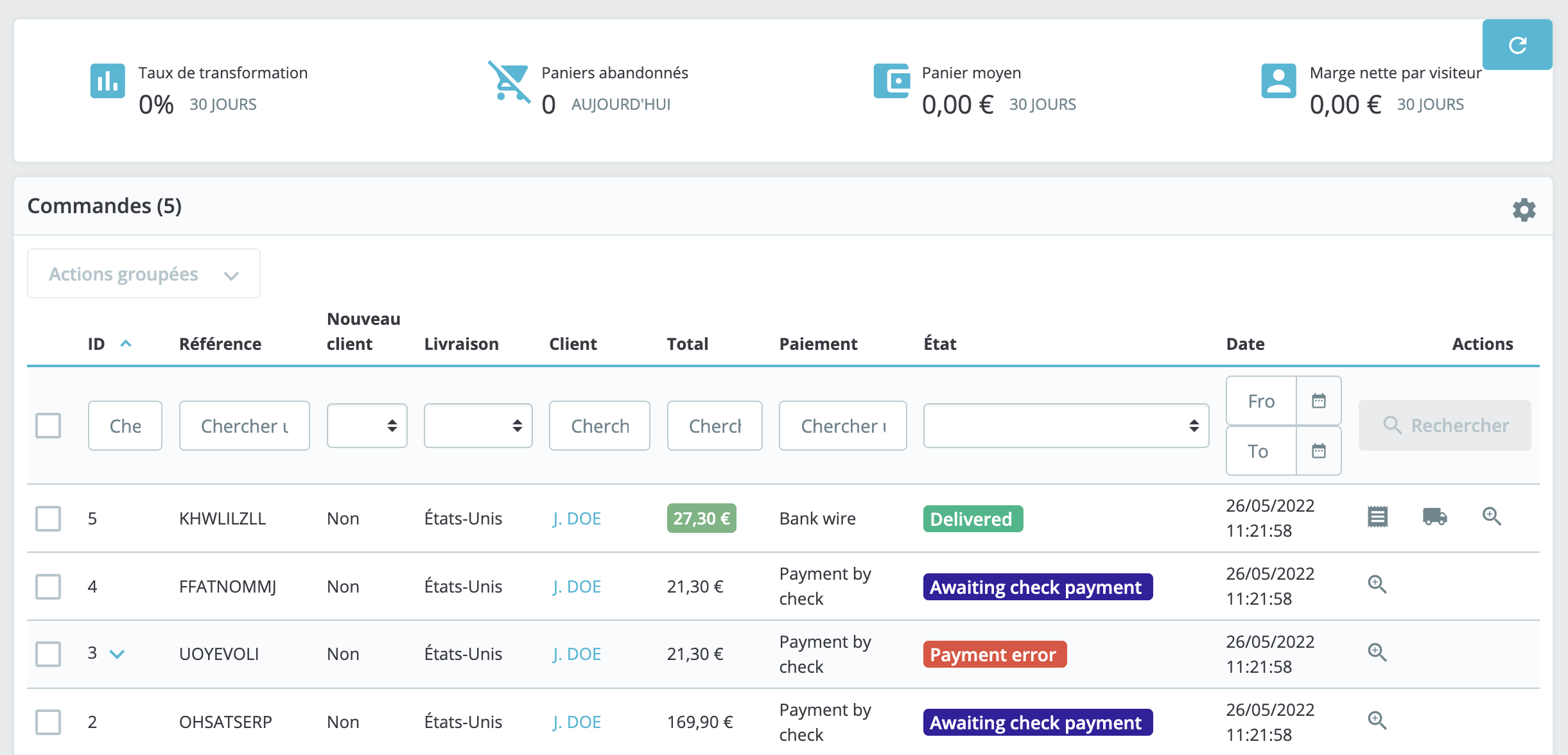
All transactions made in your store are listed there, from the most recent to the oldest.
You can use the search fields located at the top of the list to easily find your orders. For example, to display only Mr. Durand's orders, type "Durand" in the "Client" field and then click on "Search" at the far right of the line.
Is it possible to cancel an order?
It is impossible to delete an order from the back office of your PrestaShop store. Indeed, in Europe, it is prohibited to allow the deletion of payment, billing, or order information.
That is why the implementation of a delete button for orders would render PrestaShop illegal in Europe according to article L123-22 of the Commercial Code.