PrestaShop allows you to view an order and to know all the elements that comprise it.
To access it: Orders > Orders.
What does the order interface contain?
The command interface is an interface that allows you to access all the orders placed on your site. It is presented as follows:
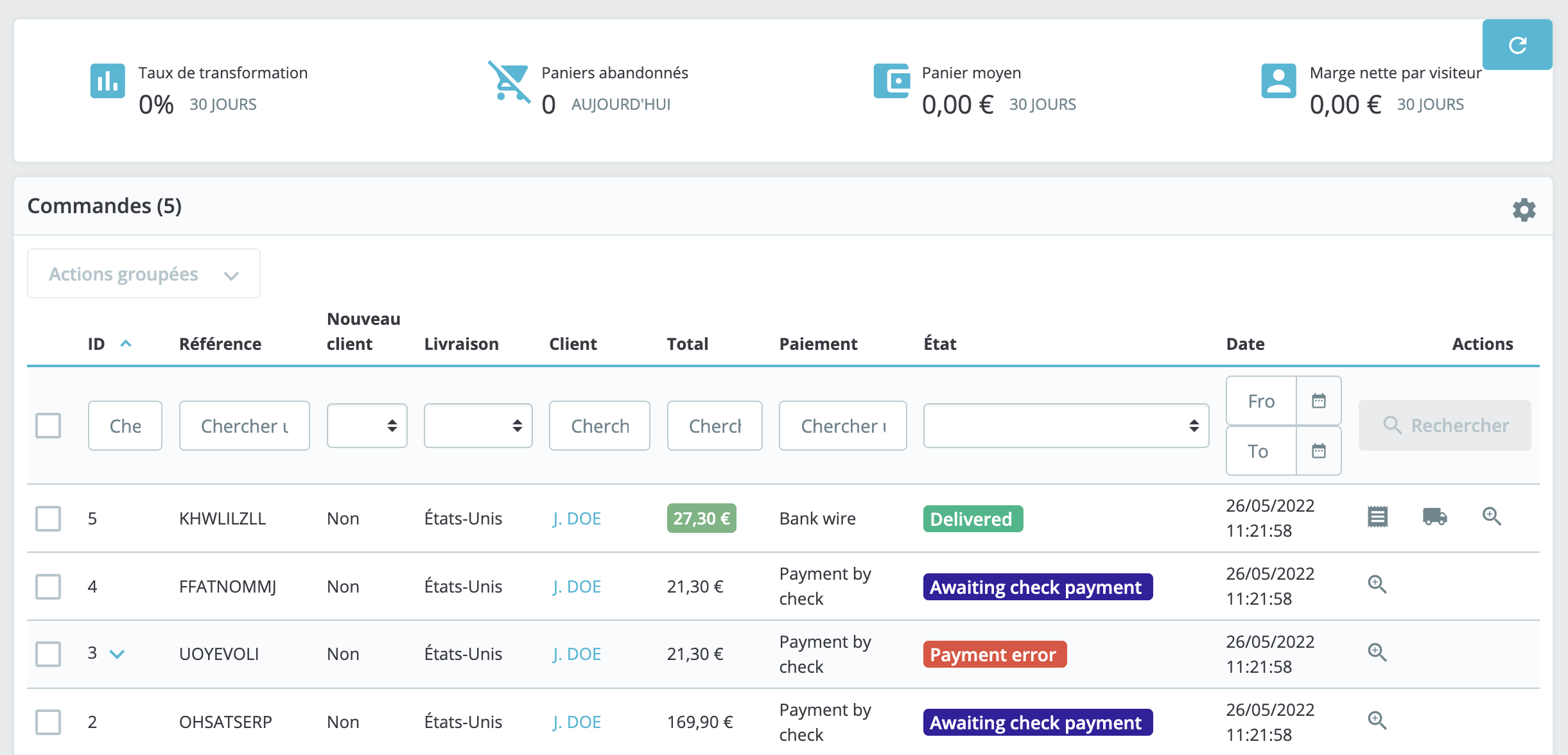
This interface allows you to search for a specific order by performing searches by ID, reference, delivery location, customer name, payment method, status, or date.
How can one access the details of an order?
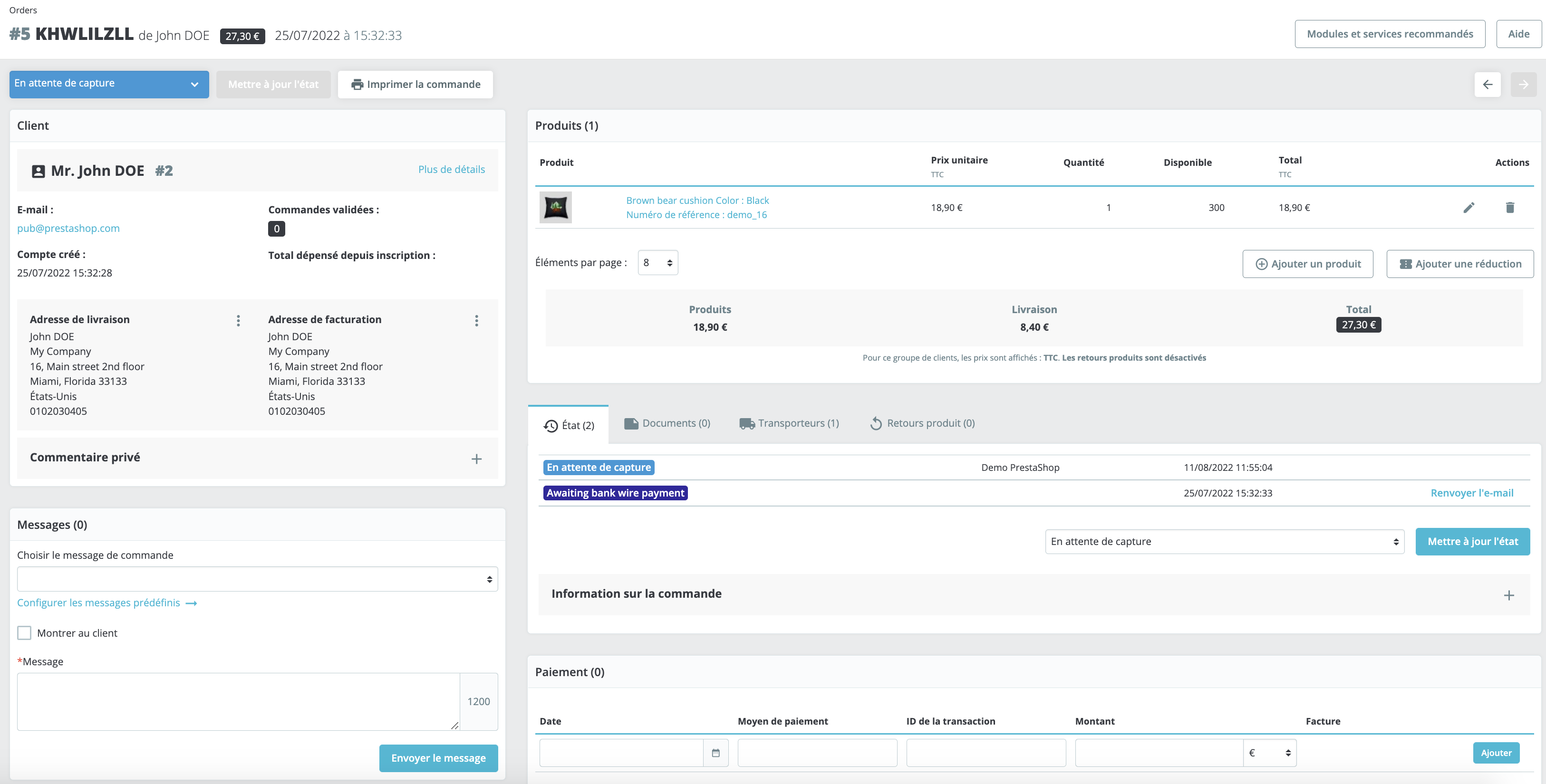
To access an order form, click on the line of the relevant order or on the "View" icon, represented by a magnifying glass, to the right of the line. A page detailing the order will then open, containing the following information:
- Customer information: this section contains the customer's contact details, the number of their validated orders, as well as the total amount spent since their registration.
- Messaging: this section allows sending a message to the customer.
- Product information: this section contains the number of products ordered, the delivery price, the price of the products, and the total price of the order.
- Order information: this section consists of several tabs. It allows for the visualization and management of the order status, retrieval of related documents, tracking of associated carriers, and display of product returns.
- Payment information: this section contains the details of the transaction: date, payment method, transaction identifier, amount, and invoice.
What actions should be undertaken on the order form?
Numerous actions can be performed from the order form. You may:
- Add a message to the order. This message may be, at the client's discretion, visible or not.
- Process product returns. Please refer to our article regarding product returns.
- Process refunds. To learn more, please refer to our article dedicated to refunds.
- Add a payment. In the case of a cash payment, you may manually add the payment for an order.
- Update the status of an order. To manually modify the status of an order, in the event of receiving a check for example.