The variations are the different versions of the same product, sold under various iterations. These versions may differ in size, color, etc. Discover how to import them into PrestaShop!
To access it: Advanced settings > Import
What should one do before importing their declensions?
In order to import your variations, you must first have imported your product catalog and be aware of the ID of each of your products. The declensions that you are going to import will indeed be integrated into the various products that you have created.
Prepare the file of declensions.
As shown in the image above, define a declension by line:
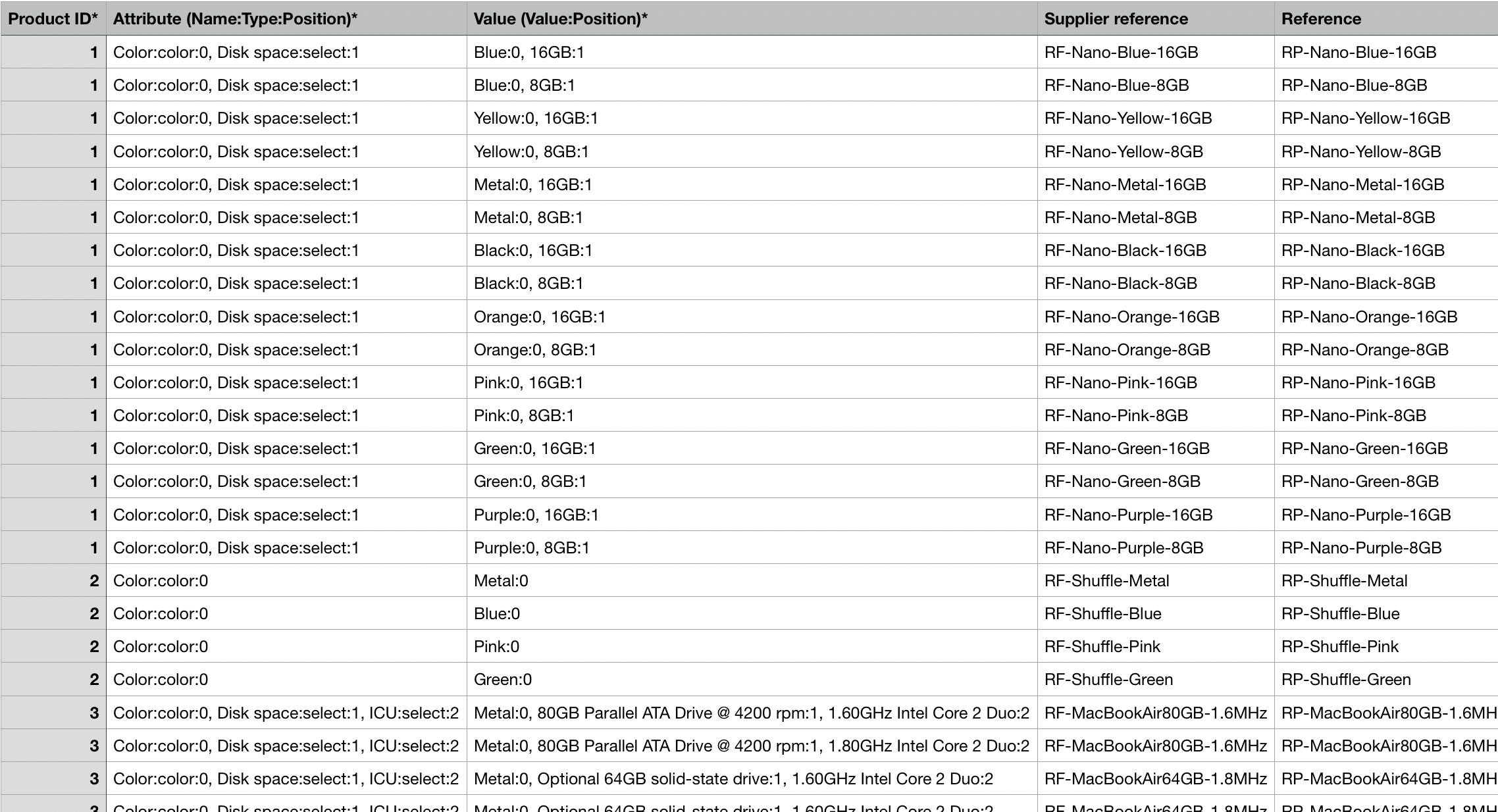
| 💡 PrestaShop provides you with access to a sample .csv file. To learn how to fill it out correctly, do not hesitate to consult the article dedicated to the preparation of import files! |
Import the file of declensions.
Once the table is correctly filled out, ensure that nothing is missing and import it in the same manner as your products.