On PrestaShop, it is possible to quickly add a carrier to a product from your back office.
To access it: Catalogue > Products
Why add a carrier to a product?
While certain products can be handled by a standard service of La Poste, others are bulky (furniture, materials, musical instruments, etc.) and require a different shipping arrangement.
This is the reason why PrestaShop allows you to permit a product to be shipped only by a selection of carriers.
How to add a carrier to a product?
Go to the product sheet that you wish to link to your carrier and click on the "Delivery" tab:
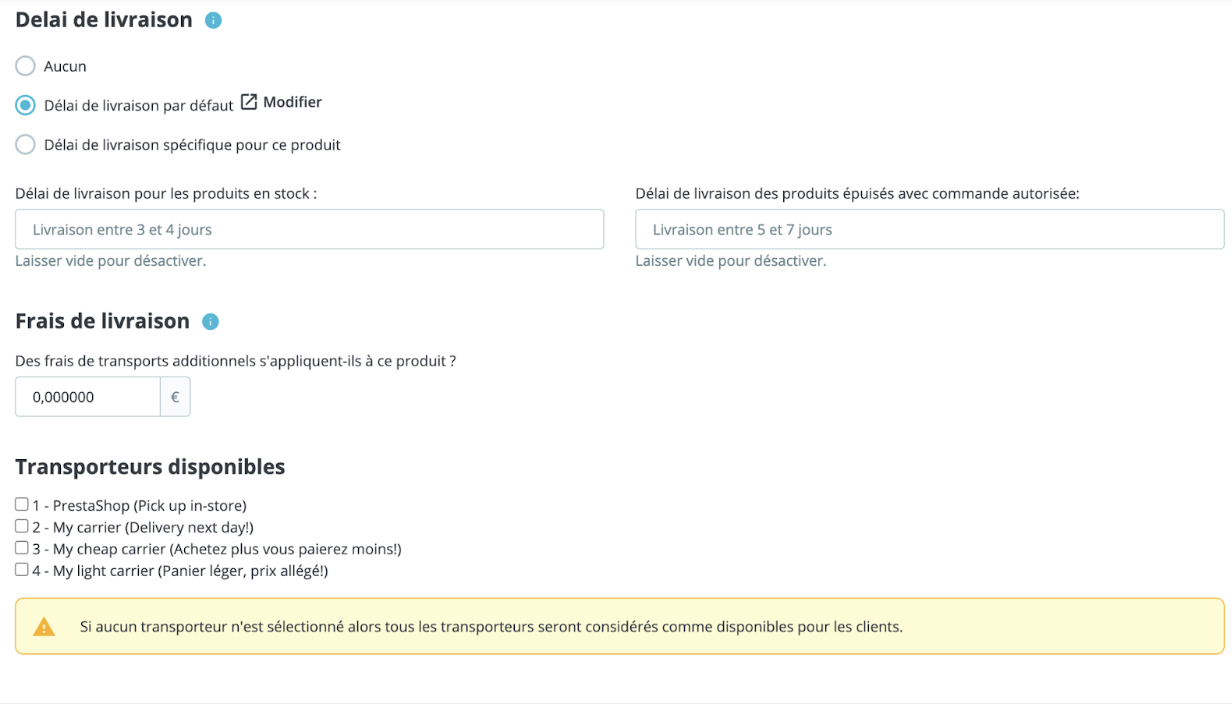
You will find all the previously created carriers there.
Check the one who will be able to take charge of this product. If no carrier is selected, then all carriers will be considered available to customers. Do not forget to save in order to update your product sheet.
| 💡 To learn how to add a new carrier, please refer to the article Create a Carrier. |