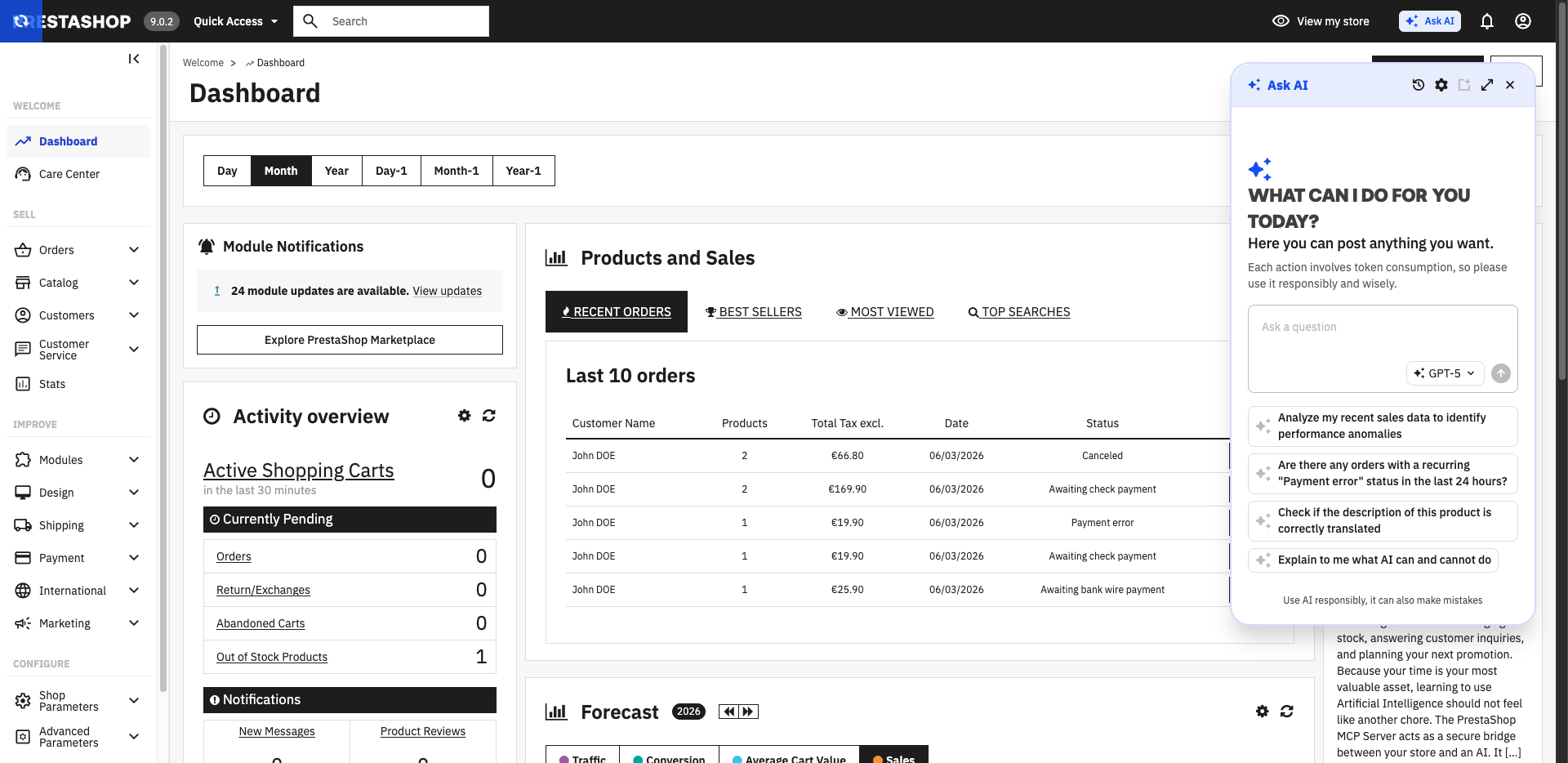
Ask AI is PrestaShop's native AI assistant, integrated directly into your back office. It allows you to query your store using natural language (orders, products, customers) and take action on it, without changing tools or navigating through menus.
What is Ask AI?
Ask AI is an AI assistant accessible from every page of the back office.
What Ask AI can do:
Query your store in natural language thanks to its real-time connection to data via the PrestaShop MCP Server.
Offer context-aware suggestions tailored to the page you are currently on to help you start a conversation (on Product, Order, and Customer pages).
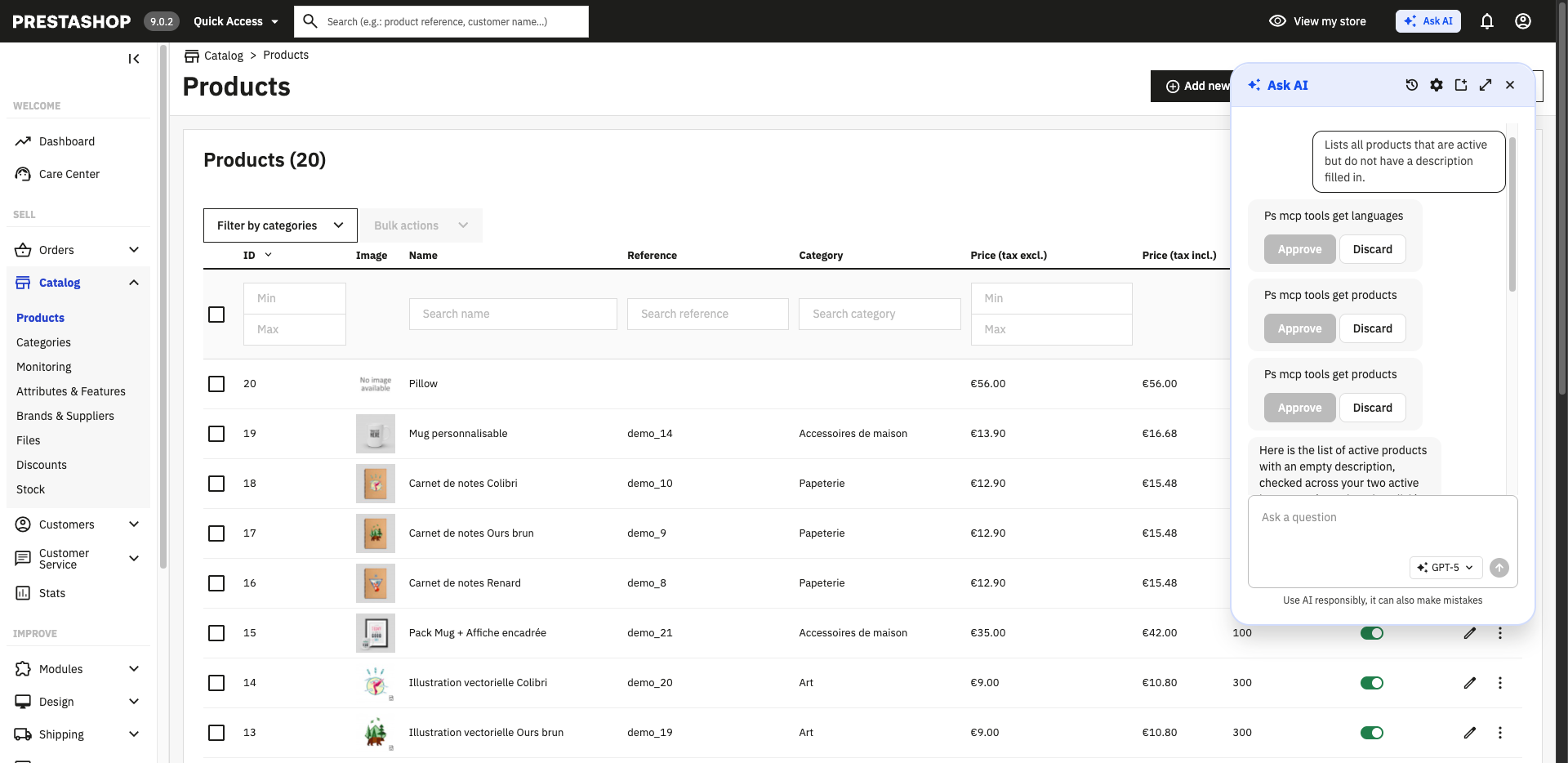
Execute actions on your store, with your explicit validation required before any application.
Keep your conversation history for 30 days.
What Ask AI does not do:
Ask AI is reserved for the back office; it is not accessible to store customers.
Ask AI does not manage your account or billing with your AI provider.
Ask AI does not store your data and does not train any models on your store's data.
💡 Note: Each back-office user has their own conversation thread. Histories are not shared between users.
Prerequisites
AI Provider API Key
Before using Ask AI, you must have an API key from a compatible AI provider. You use your own key, which remains stored on your server and never transits through PrestaShop infrastructure.
Compatible Providers:
OpenAI (ChatGPT)
Anthropic (Claude)
Google (Gemini)
Mistral AI (Vibe, formerly LeChat)
To obtain an API key, go directly to your AI provider's website. The management of your subscription and billing is handled exclusively with the chosen provider. PrestaShop does not intervene in this relationship.
PrestaShop Technical Components
Ask AI relies on the PrestaShop MCP Server to access your store's data in real time. Before configuring Ask AI, make sure that:
The PrestaShop MCP Server is installed and configured.
The MCP Tools module is installed and the features are activated.
⚠️ Blocking Points:
Without the PrestaShop MCP Server and the MCP Tools module properly installed, Ask AI will not be able to query your store's data.
Ask AI does not work if your store is in maintenance mode; please deactivate it before using Ask AI.
Configuring Ask AI
Configuration is done from the Ask AI module settings in your back office.
Before starting, make sure you have followed the prerequisites above.
1. Access the Configuration
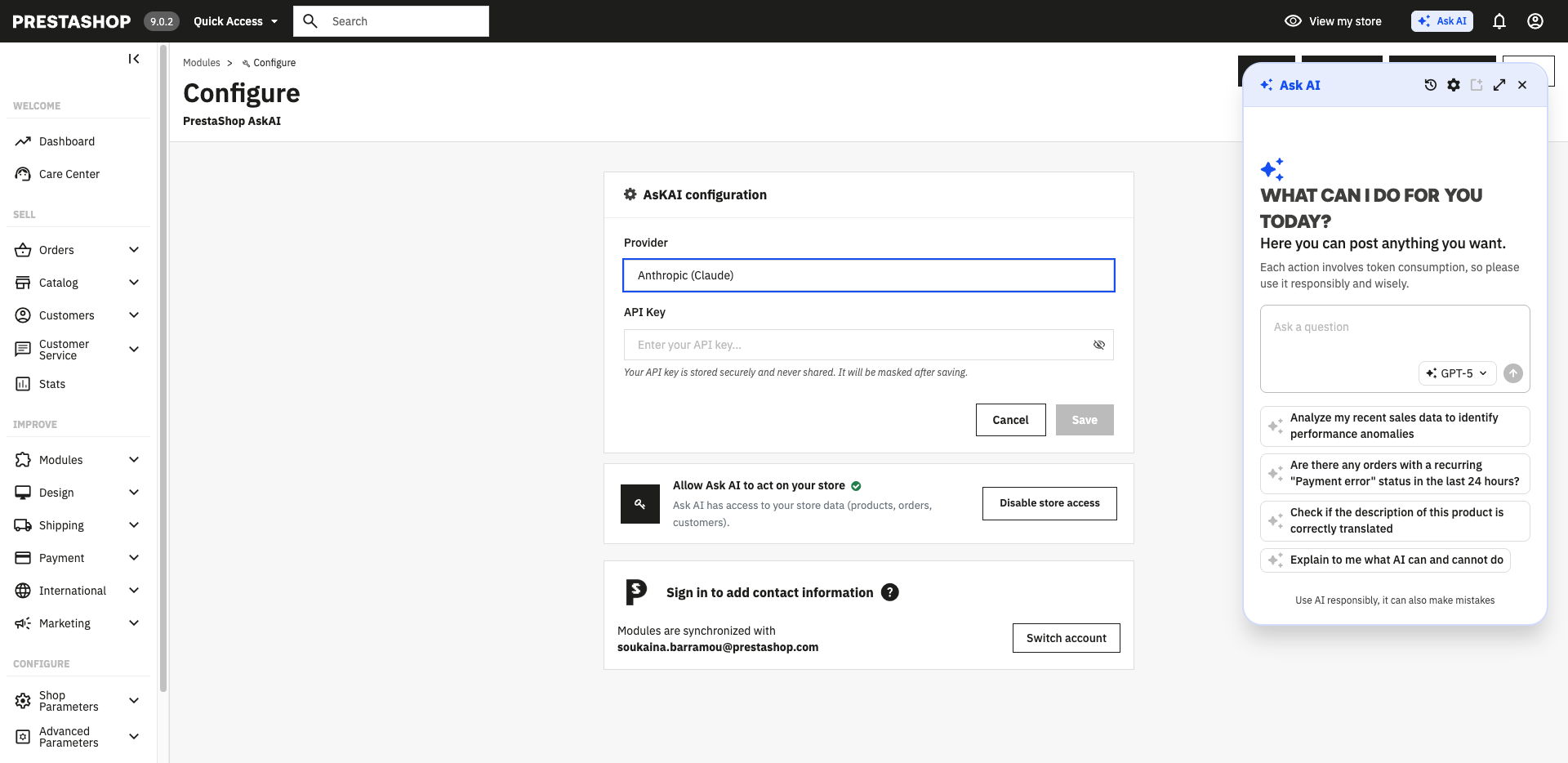
Go to Modules > Module Manager, search for "Ask AI", and click Configure.
Or open the Ask AI panel from the top navigation bar of the back office and click "Open Configuration".
2. Connect Your PrestaShop Account
If you haven't done so already, log in to your PrestaShop Account directly from the configuration page. This step also allows you to link your store to your account. If you are already logged in via another PrestaShop module, this step is automatically completed.
3. Enable Webservices
Ask AI requires the activation of PrestaShop webservices to access your store's data. From the configuration page, click Activate access to the store to be redirected to Advanced Parameters > Webservice and finalize the activation.
4. Select Your AI Provider
From the drop-down list, choose your provider (OpenAI, Anthropic, Google, Mistral, or OpenAI Compatible).
5. Enter Your API Key
Enter your API key. It is automatically tested upon saving: a message will confirm if it is valid or alert you if it is invalid. Documentation: Where can I find my API key?
6. Save
Click Save. Once the configuration is validated, the Ask AI panel will be active in your back office.
Using Ask AI
Open the Ask AI Panel
The Ask AI button is accessible from all pages of your back office, in the top navigation bar. Click it to open the conversation panel.
Ask a Question
Type your question in natural language into the input field. You can write in the language of your choice; Ask AI will reply in the same language.
Example Questions:
"How many orders are pending shipment today?"
"What are my top 5 best-selling products this month?"
"Which products are out of stock?"
"Show me the orders placed by customer Y."
"Can you create a product X for me?"
"Generate an image for product Z" (depending on the capabilities of the model you are using)
Use Contextual Suggestions
When you open the panel, Ask AI displays suggested questions tailored to the page you are currently viewing (on Product, Order, and Customer pages).
Change Model
The choice of model is managed directly from the conversation panel. You can select or change the model at any time, even between two messages.
Validate Actions
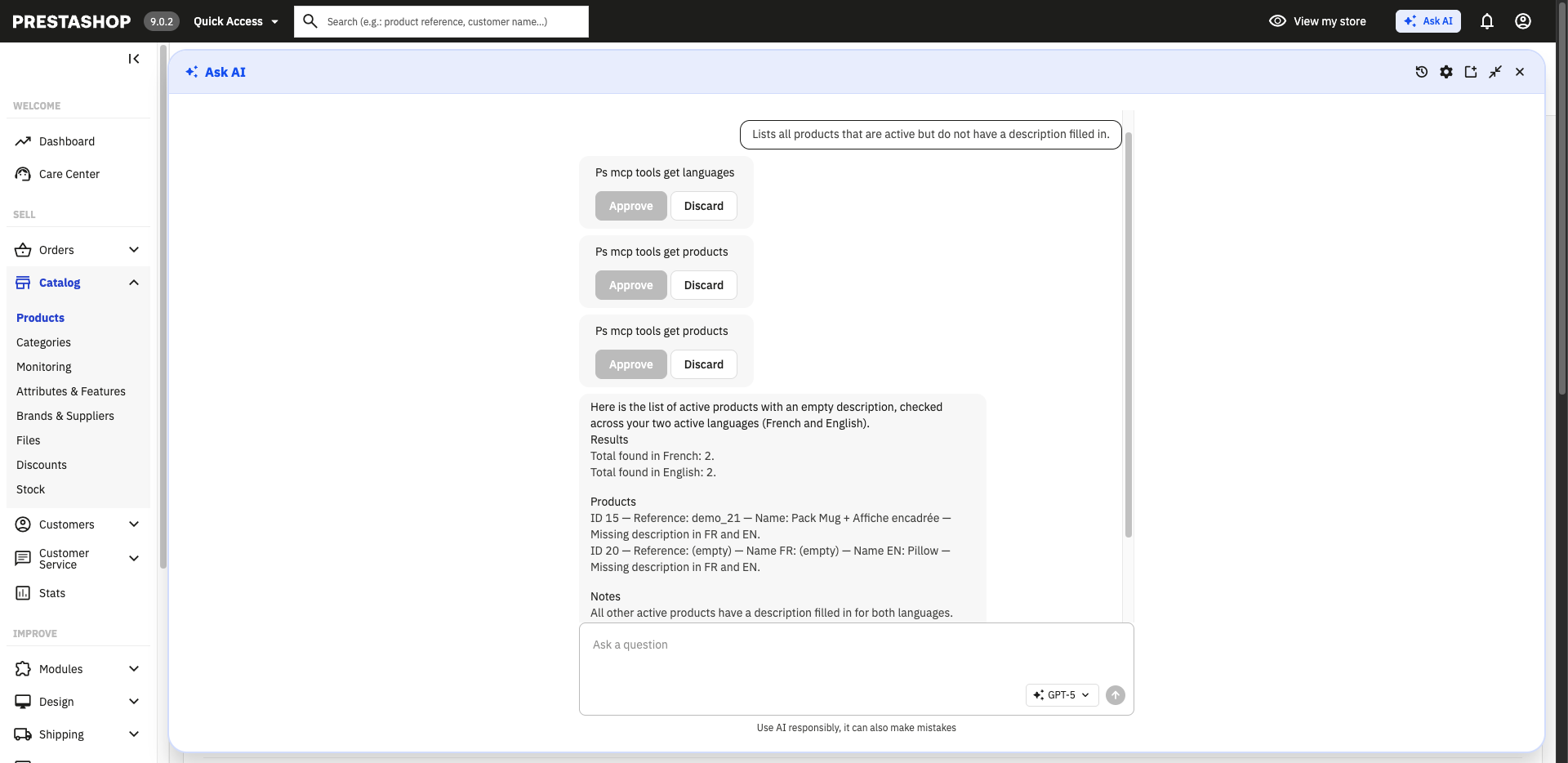
If you ask Ask AI to make a change (update stock, modify an order, etc.), it will present the action to you for validation before execution. You can accept or refuse.
⚠️ No data is modified without your explicit consent.
Find a Conversation
Your history is kept for 30 days. You can find your past exchanges directly in the Ask AI panel.
Frequently Asked Questions
Is my data sent to PrestaShop? Your store data does not transit through PrestaShop infrastructure. Your AI provider's API key is stored on your own server, and requests go directly from your server to your AI provider. To continuously improve your experience, PrestaShop collects anonymous usage data related to AskAI. This data does not contain any personal information or data relating to your store.
Can Ask AI modify my store without my knowledge? No. Any write action (modifying an order, updating a product, etc.) requires your explicit validation before being executed. Data consultations (displaying an order, searching for a customer) are processed directly, without a validation step.
Can I use Ask AI if I don't have an account with an AI provider? No. Ask AI requires a valid API key from a compatible provider (OpenAI, Claude, Gemini, Mistral, or OpenAI Compatible equivalent). You must create an account directly with the provider of your choice.
Which AI provider should I choose? Ask AI is compatible with several providers (OpenAI, Anthropic, Google, Mistral, and any provider in OpenAI Compatible format). The choice depends on your preferences, budget, and available models. Check the offers directly on each provider's website to compare.
What happens if my API key is invalid? If your API key is invalid or expired, Ask AI will notify you when saving the configuration. Go to the module settings to enter a new valid key.
Is Ask AI available for my customers? No. Ask AI is a tool reserved exclusively for back-office users. It cannot be integrated into your store's front office.
Related Articles: